Combined elements
Content or image cards or single blockquotes with content, optional link, and text.
Item ID: 09-008 | 09-009 | 09-010 | 09-011 | 09-012 | 09-013
Sample views Step by step guide Screen adaptation
Sample views
Lorem ipsum
dolor sit amet
Organic pickled try-hard bespoke literally paleo skateboard neutra activated charcoal edison bulb quinoa. Chambray chartreuse shaman, brooklyn swag chicharrones microdosing. Gastropub keytar cold-pressed, intelligentsia kickstarter chicharrones etsy succulents. Cardigan chartreuse yuccie salvia palo santo leggings raw denim literally messenger bag, authentic vexillologist. Scenester quinoa raclette pour-over, echo park seitan pinterest. +1 cronut ugh hashtag. Occupy meggings banjo four dollar toast. Church-key locavore chartreuse, whatever cliche stumptown affogato.
This is the Card title
He lay on his armour-like back, and if he lifted his head a little he could see his brown belly, slightly domed and divided by arches into stiff sections.
Lorem ipsum dolor sit amet
Chambray chartreuse shaman, brooklyn swag chicharrones microdosing. Gastropub keytar cold-pressed, intelligentsia kickstarter chicharrones etsy succulents. Cardigan chartreuse yuccie salvia palo santo leggings raw denim literally messenger bag, authentic vexillologist. Scenester quinoa raclette pour-over, echo park seitan pinterest. +1 cronut ugh hashtag
Optional heading H1
Optional heading H2
Love your customers. Feel free to present and underline your most important reference with this combined blockquote element. Use the text space for a case study or as a teaser above an article. Maybe put a link button underneath the block to link to an internal or external site.
Had delicious food. I can't remember the taste as it was gone really quick. But I'd definitely eat it all again. Might even eat more.
Step by step guide
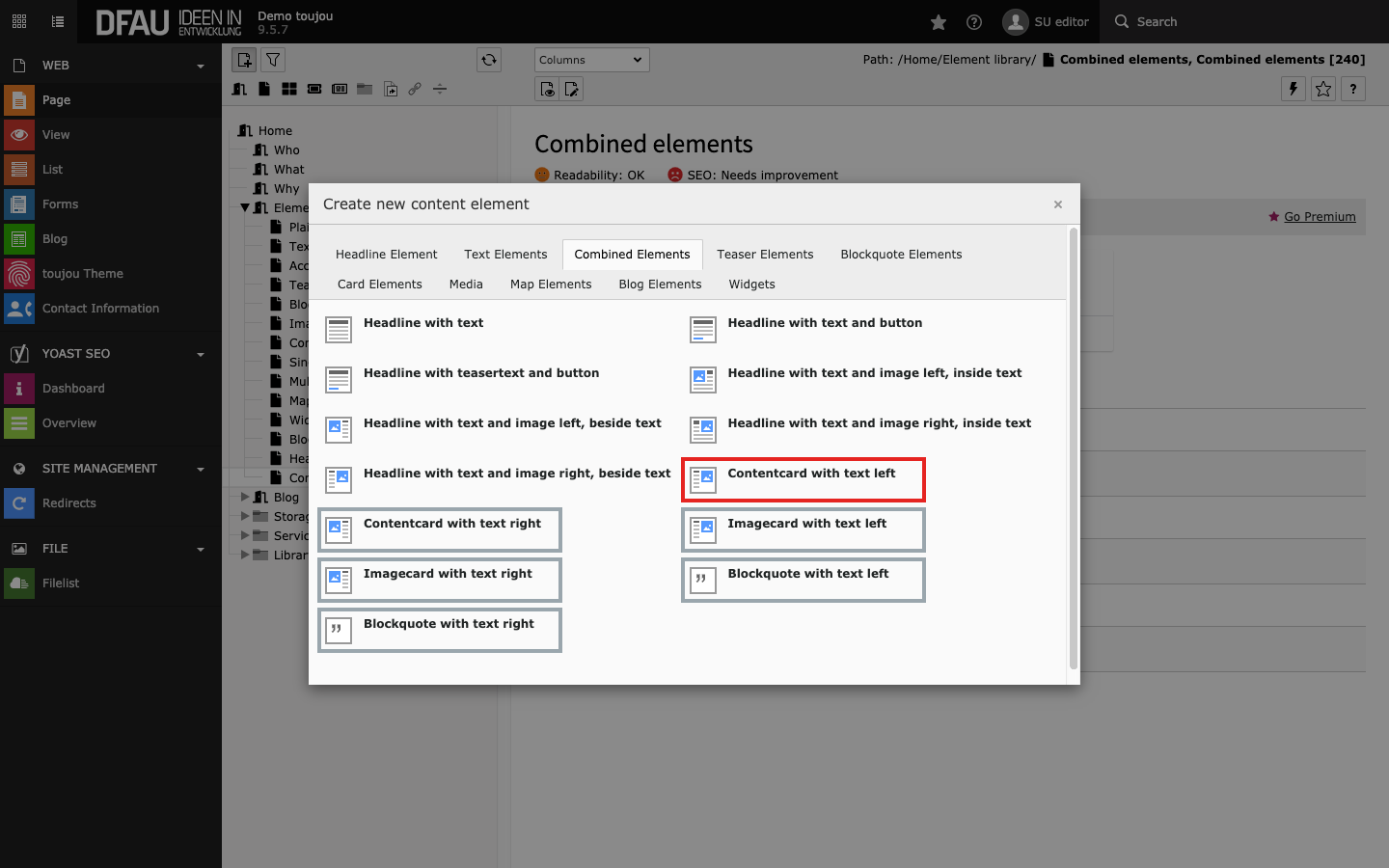
Create combined elements
- Click the + Content button to create any combined element.
- In the Combined Elements tab, select the element of your choice.
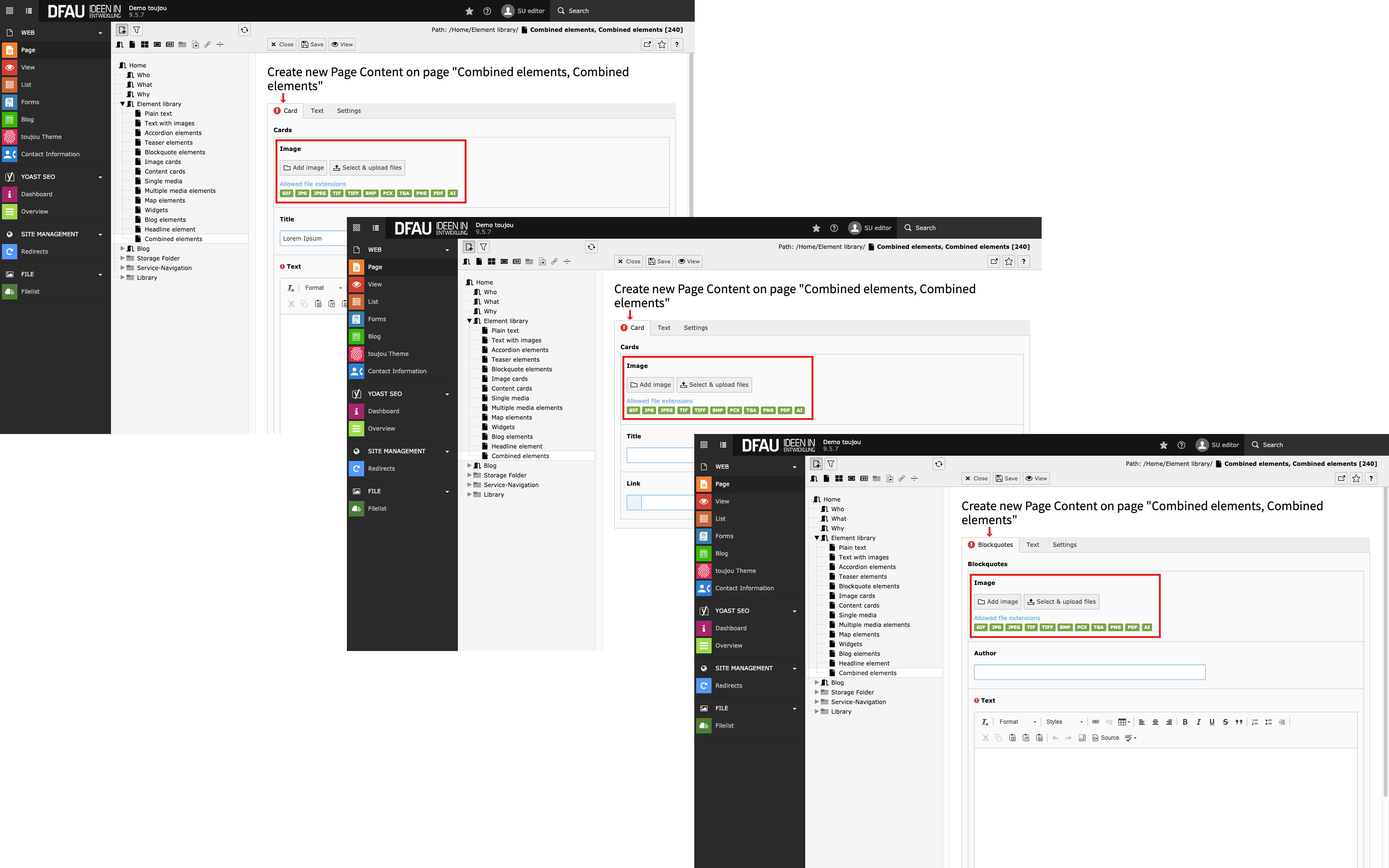
Insert image
- The combined elements for content cards, image cards, and blockquotes offer the possibility of uploading images.
- Click on the Add image button.
- Select an image file from your file list or upload a file to the appropriate folder.
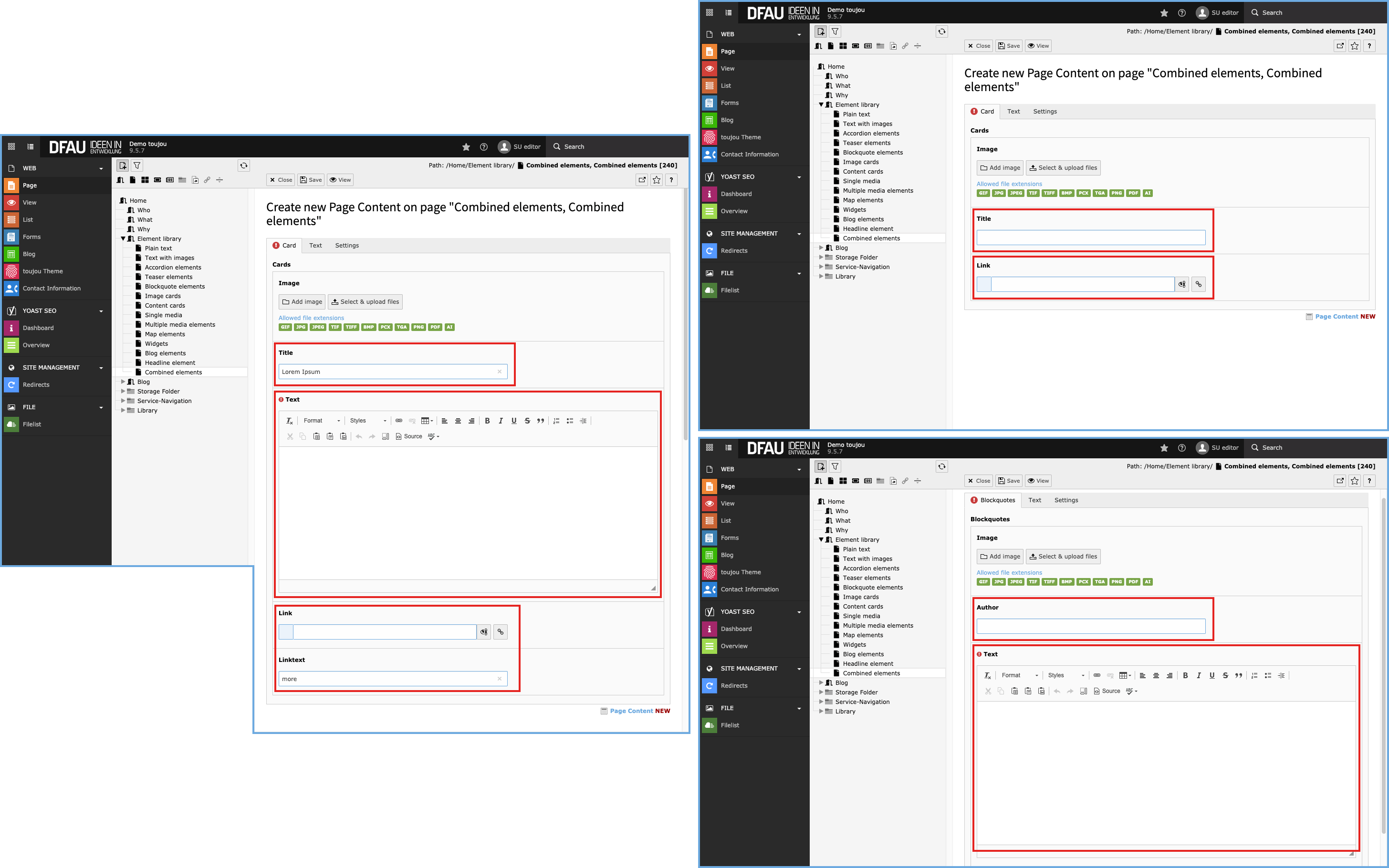
Tab functions
- Content cards: How to insert title, text, link, and link text.
- Image cards: How to insert title, and link text.
- Block quote: How to insert author and text.
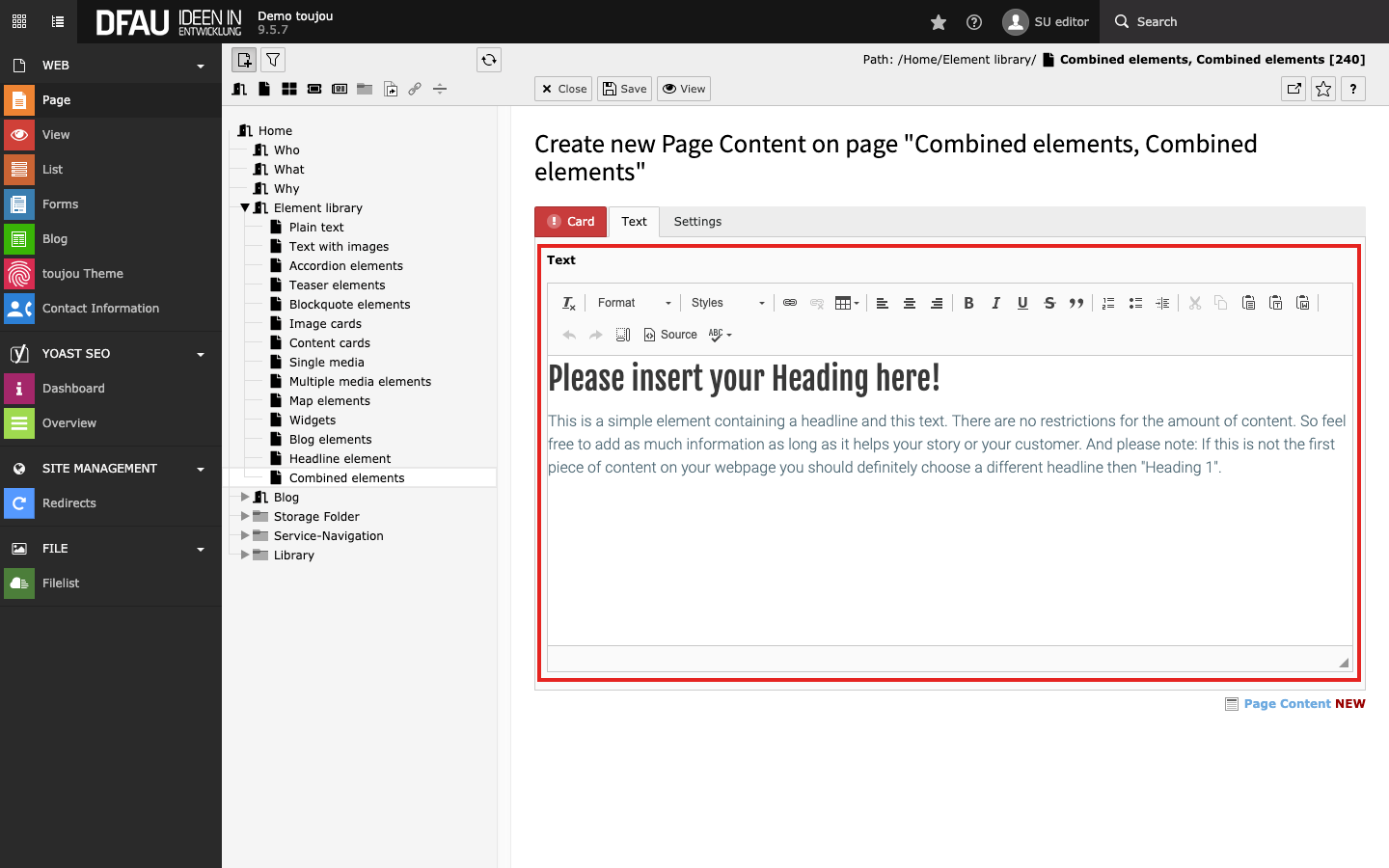
Insert and format text
- Paste your text into the editor within the Text tab.
- If you copy the text from another file, pay attention to possibly copied formatting.
- The text can be formatted directly within the rich text editor, with the help of the menu above the editor.
Screen adaptation
Responsive behaviour: On smaller devices, the added element appears below the text. Within the content card and the blockquote, the image is displayed on the left side of the content.
Worth noting: Both columns will take up the maximum content width.
Linked topics
toujou set-ups & TYPO3 tutorials related to this element description.