Counter
The Counter element allows you to display animated numbers on your website. You need to enter the start and end numbers. There are several options available to refine the display, such as animation duration, prefix and suffix, uploading an image, and the element design.
Sample view Step by step Screen adaption
Sample view
-
1 Sample view without prefix and suffix, in primary design
-
~ 1 Sample view with prefix, with standard element design
-
~ 1 km Sample view with prefix and suffix and secondary element design
Step by step
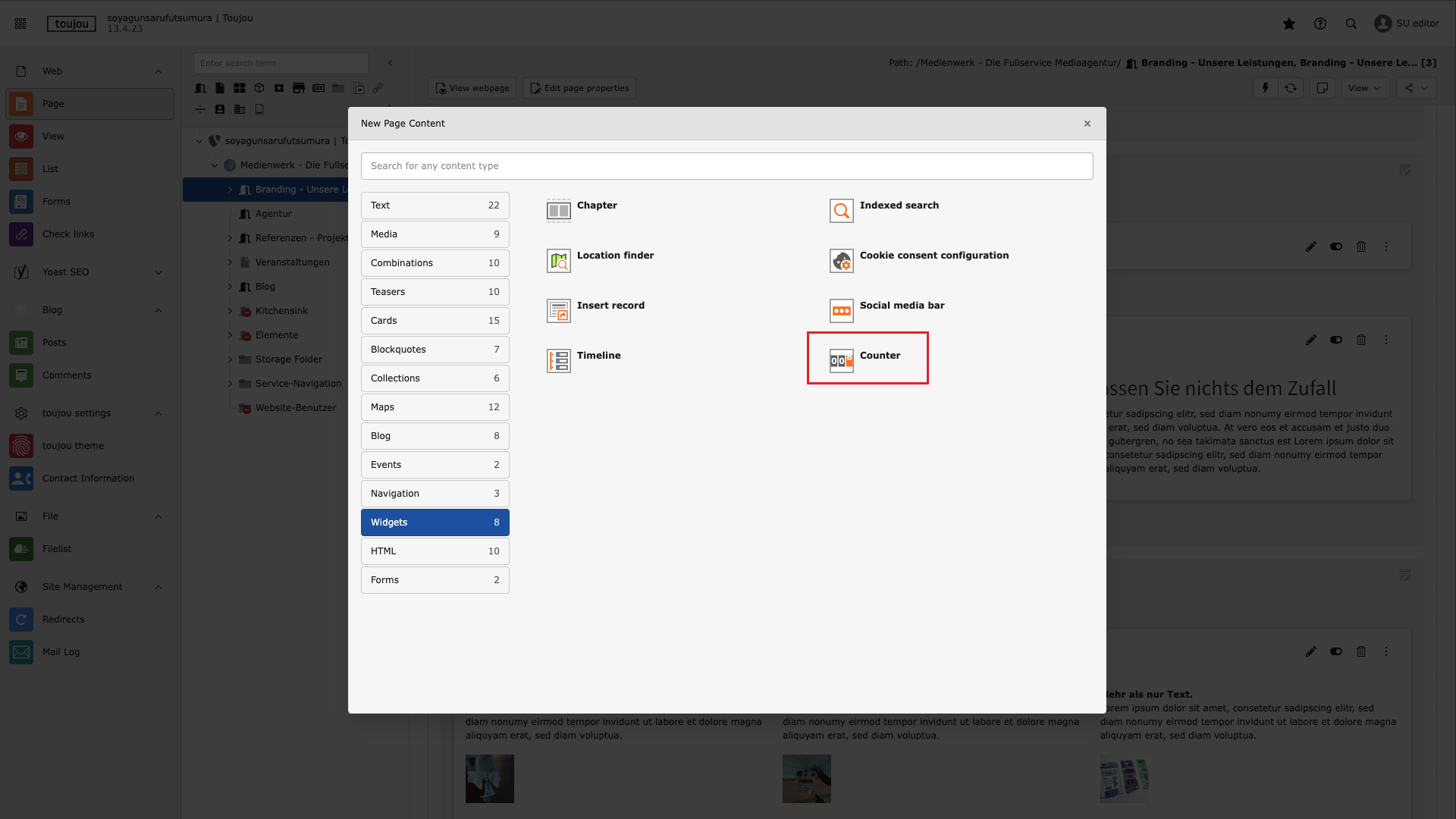
Choose the element
- After clicking on + New Content in the content area of your page, the window for selecting the element will open. Select the Widgets tab and then Counter.
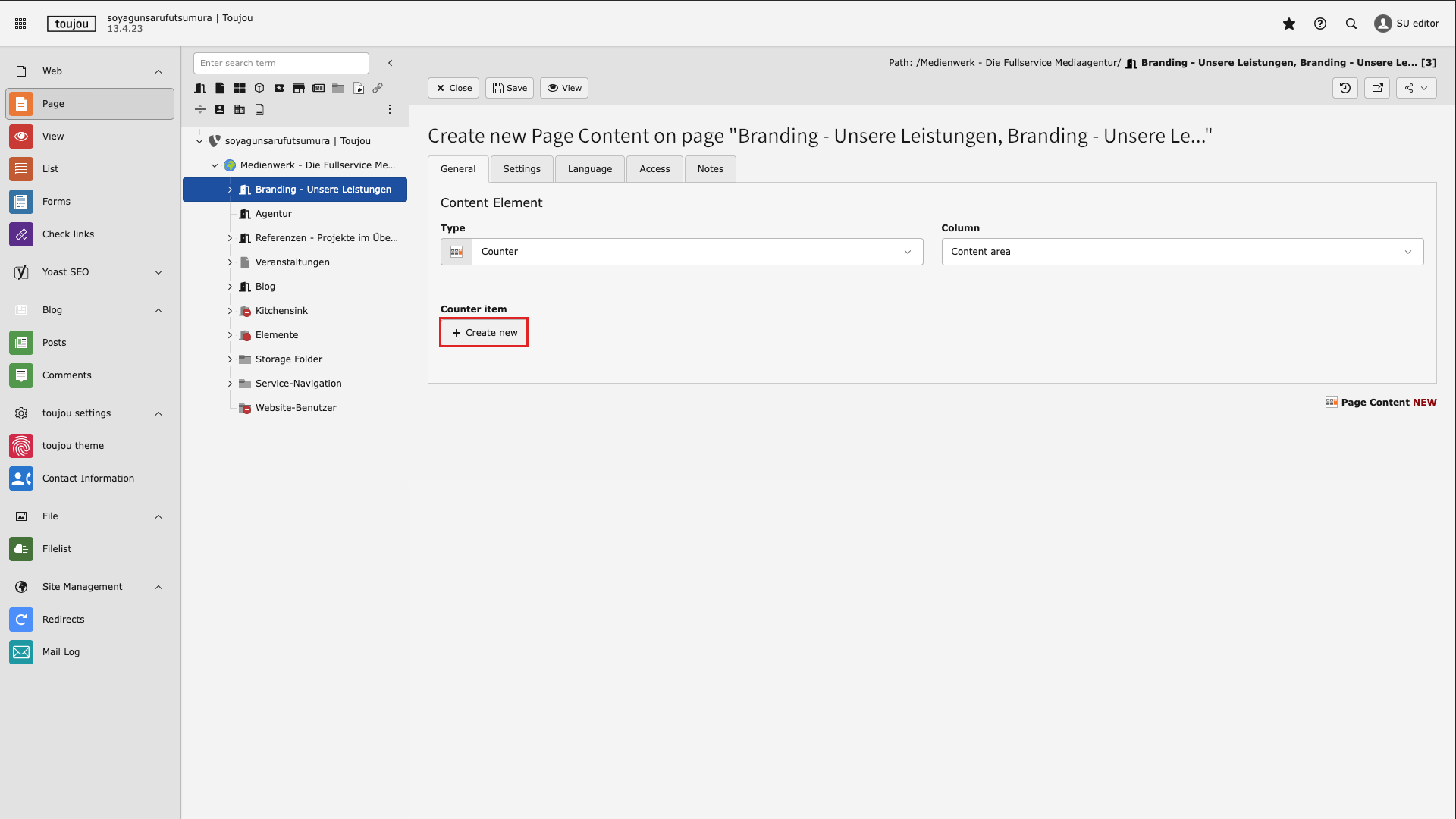
Create new counter
- You can display multiple animated numbers in the counter element.
- Click on + Create new in the General tab to create a new counter.
- The input mask for this counter will then open.
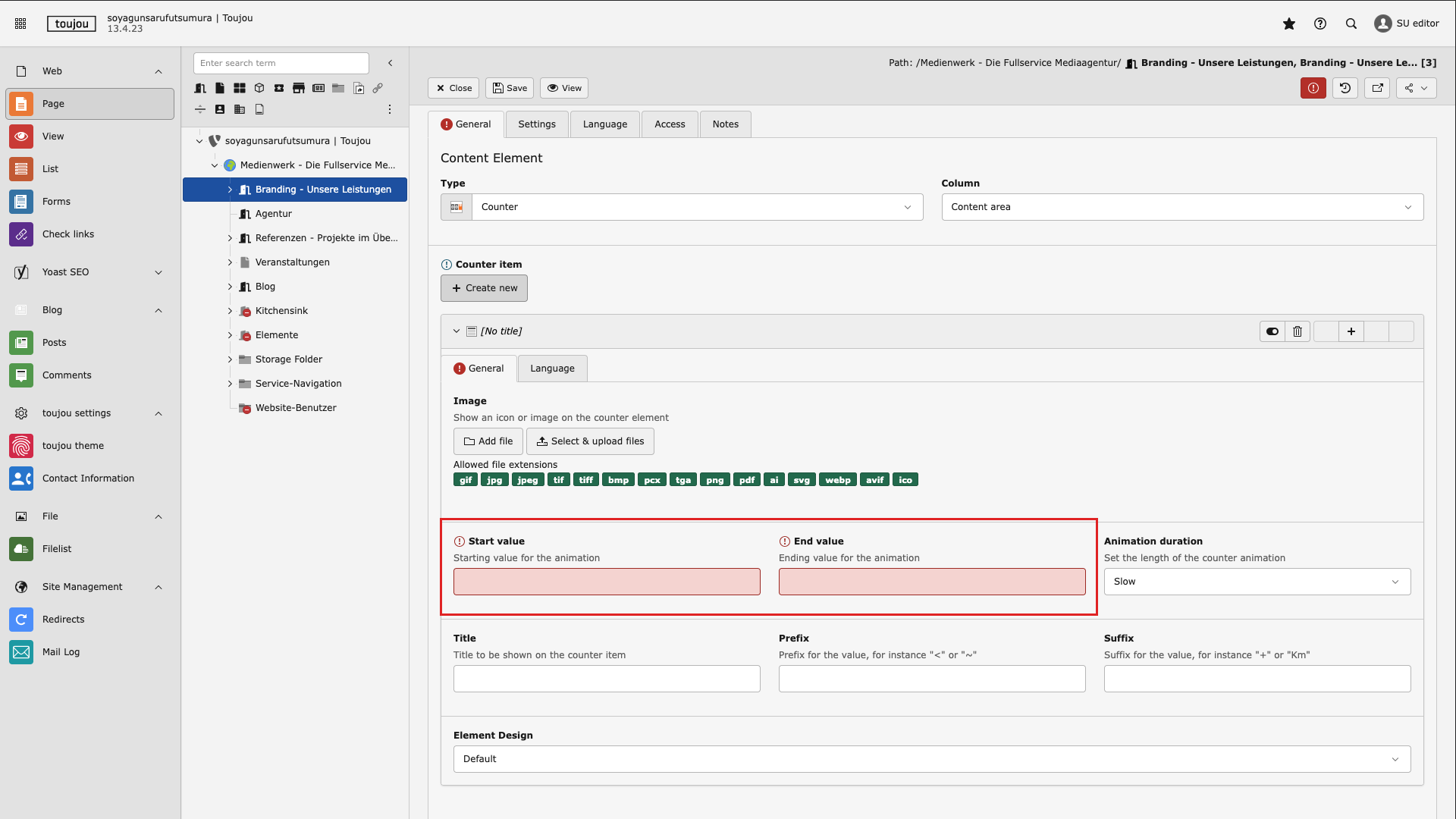
Define start and end values
- Under the General tab, enter the number at which the animation should start when the page is loaded in the Start value field.
- In the End value field, enter the number at which the animation should end.
- Both fields must be filled in for all counters for the functionality of the entire element.
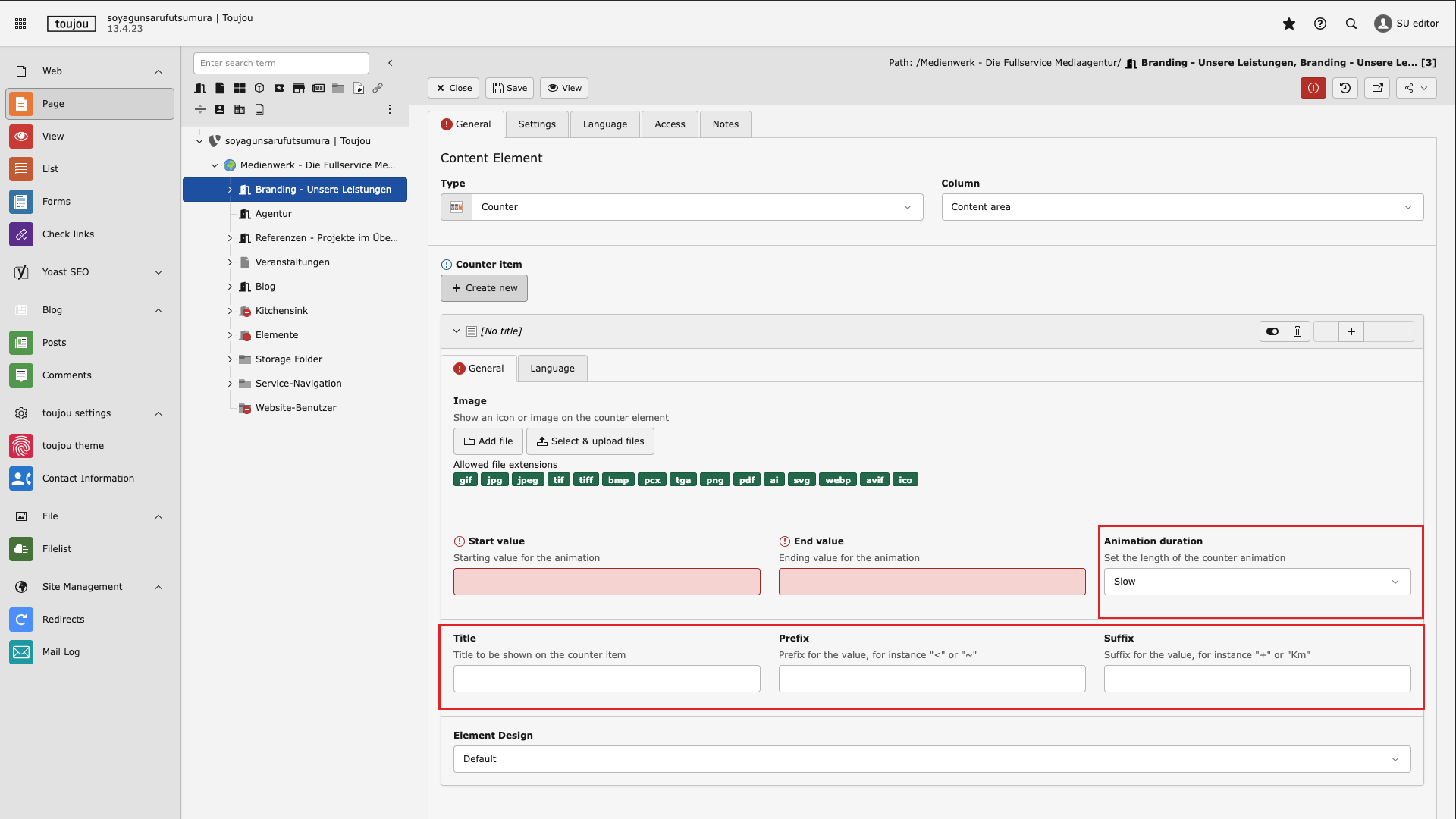
Enter optional values
- Store a medium in a counter in the Image area using the Add file or Select and upload file option.
- Select the speed in the Animation duration area using the drop-down menu. You can choose between slow, medium, and fast.
- Define a title for the individual counter by filling in the field below Title.
- In the Prefix and Suffix area, enter values/characters that should appear before or after the value.
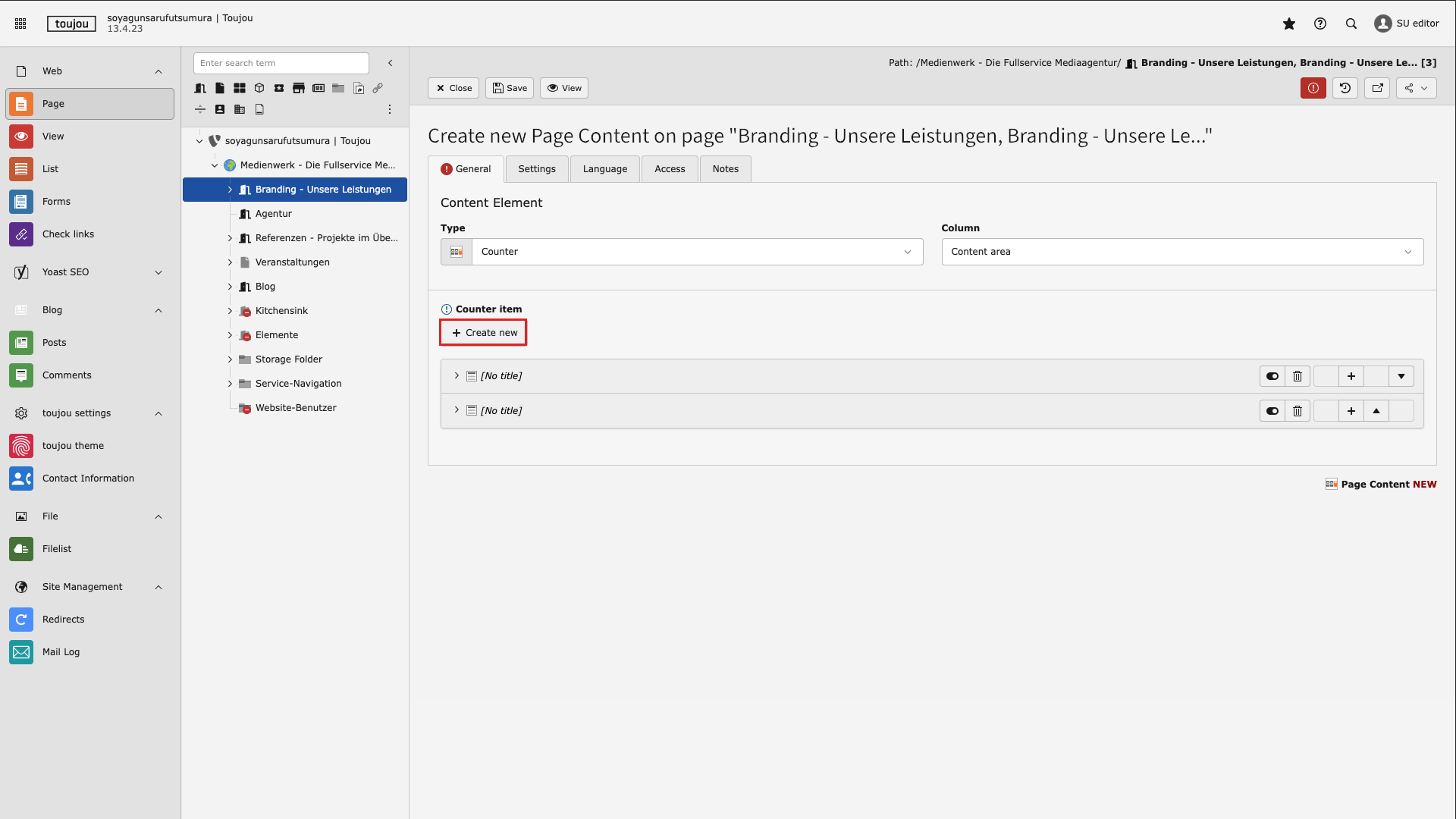
Create additional counters
- Click on + Create new in the General tab to create additional counters in the element. Depending on the device, these will be displayed next to or below each other.
- A start and end value must be entered in each counter. The other fields are optional.
- Finally, save the settings.
Screen adaption
Special features: For the counter element to function, a start and end value must be entered. These two fields must be filled in with numbers. Other fields are optional. At least one counter must always be created. Additional counters can be added to the element at any time.
Responsive: For devices with a display width of <840px, up to a maximum of 4 counter displays are shown side by side by default. From 839px to 640px, a maximum of two counters are shown side by side; for smaller displays, each individual counter is shown one below the other.
Linked tutorial
Tutorials related to this element.
Image & Videos via via Fileadmin Tutorials Elementbibliothek